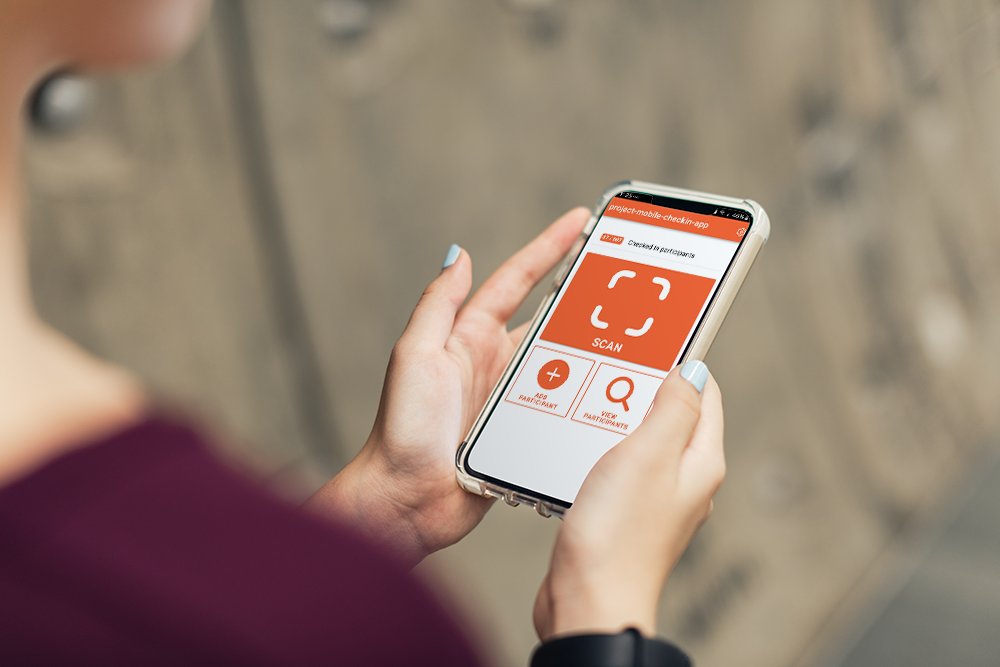
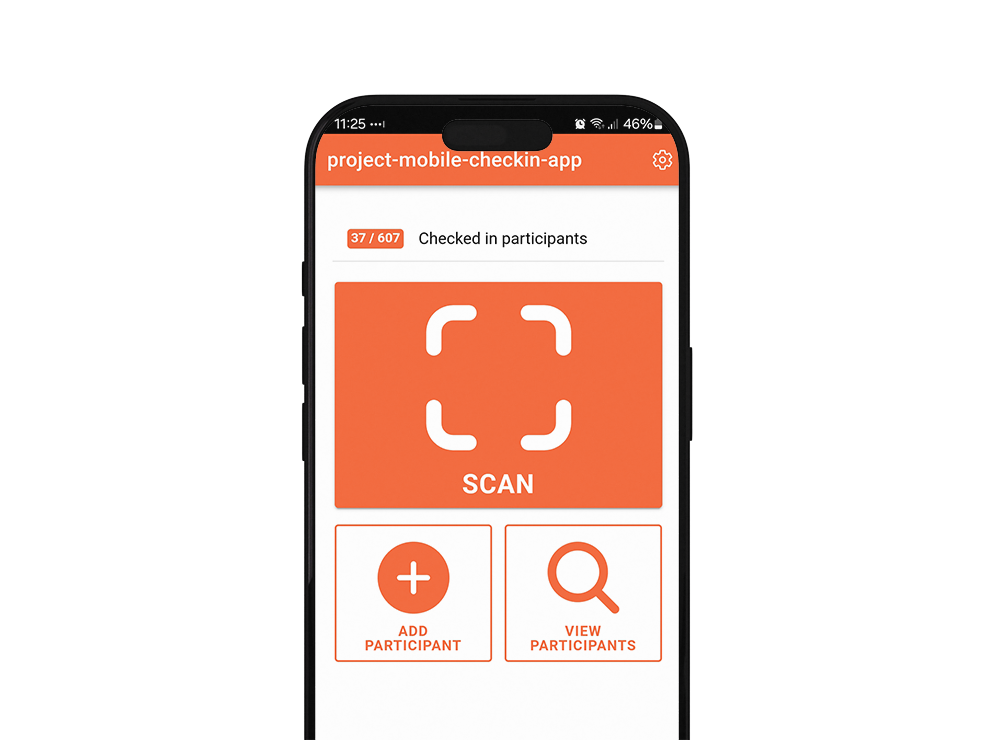
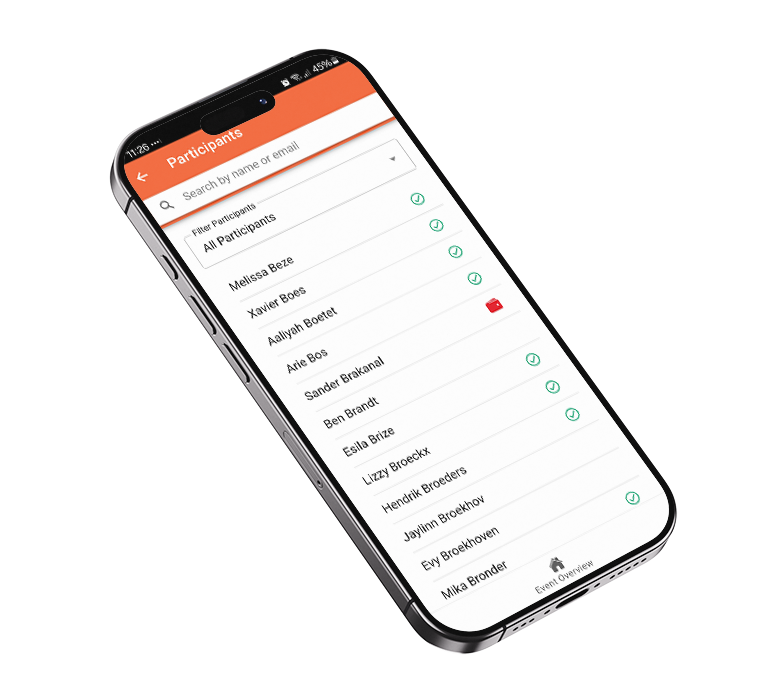
With Check-in Mobile, you check in visitors easily using their own unique QR code. No printers, no rented tablets, no badge design. Just your phone and our app. Running multiple sessions and need insights in the attendance? Switch locations effortlessly and track real-time attendance per session. Fast, secure and welcoming, exactly the way you want it.
Werk je met gevoelige gegevens zoals persoonsgegevens, betaalinformatie of onderzoeksdata? Dan wil je zeker weten dat je software partner veiligheid serieus neemt.
Met onze SOC 2 Type II-verklaring bewijst aanmelder.nl dat jouw data veilig, beschikbaar en vertrouwelijk wordt verwerkt. Onafhankelijk gecontroleerd en aantoonbaar volgens internationale normen.
At an event, it’s all about the experience. You want to welcome your guests without queues, hassle, or complicated setups. With Check-in Mobile, you’re in full control:
No equipment needed: use your own smartphone or tablet.
Instant access: attendees scan their unique QR code and walk right in.
Check-in Mobile is the accessible alternative to our full Event Check-in product. While Event Check-in is ideal for larger events with personalized badges and advanced technology, Check-in Mobile offers:
Quick to set up on the day itself: no engineer or extra equipment needed.
Cost-saving: 0.25 credit per check-in, no starting fee.
What do other event professionals say about aanmelder.nl?
With aanmelder.nl, we can collect exactly the data we need from both employers and job seekers. This helps us track who attended the event, which job openings were most popular, and whether job seekers ultimately found employment. It makes the entire experience much more efficient for both us and the participants.
“We welcomed more than 600 participants during the Beach Industry Barbecue in Scheveningen. The Check-in Mobile APP from aanmelder.nl worked brilliantly. Super fast, and people were able to enter smoothly. So, it was a pleasure working with Aanmelder.nl as a supplier.“
"With aanmelder.nl, we could easily manage activities and fully inform participants through personalized badges."
Comparison overview: Event Check-in vs. Check-in Mobile
Event Check-in
Check-in Mobile
Badge-options
Small, large, or butterfly badges — fully personalized in your own branding.
No badges
Investment
1.5 credits per check-in including badge printing, combined with a starting fee of €1200 (including engineer, excluding travel costs).
0.25 credits per check-in (no starting fee)
Required hardware
Rental of badge printers and tablets via aanmelder.nl
Use your own smartphone or tablet
Check-in process
Beforehand: badge design and coordination On the day: setup, scanning, printing Afterwards: teardown, equipment collection
Beforehand: install the app, connect, test, and share with host On the day: scan using your own device Afterwards: data access automatically expires
Data & insights
Real-time attendee status, notifications (e.g. SMS), insights into check-in per sub-session
Real-time attendee status, notifications (e.g. SMS), insights into check-in per sub-session
Engineer
Optional: available for setup, guidance, support, and equipment pick-up/drop-off
No engineer required; support available by phone
Speed
Up to 100 attendees per 30 minutes per set (printer + tablet)
Comparable check-in speed, depending on the device. App also works offline
Ready to welcome your guests faster and easier? Discover the power of Check-in Mobile and turn check-in into a smooth start to your event.
Every successful event starts with a good conversation.
Whether you’re just getting started or already deep into planning – our team is happy to think along with you. From setup to attendee experience and everything in between, we’ll help you find the best solution for your event.
Fill out the form and one of our experts will get in touch with you – no strings attached, just personal advice.
Frequently asked questions
Is the app available for iOS and android?
Yes. You can download the app and use it on both kinds of devices.
Do I need an aanmelder.nl account to use the app?
Yes. You do need an aanmelder.nl account to use our application.
Is the platform secure and GDPR-compliant?
Yes. We meet the highest security standards. Your participant data is safe with us.
Is support available during the event?
Yes. Our support team is available before and during your event - so you're never alone. Our support team helps you in both Dutch and English.
Can I track who attended which breakout session with Check-in Mobile?
Yes, you can. Besides the default Check-in location for your event, you can set up extra locations in your dashboard, for example for a specific workshop or team-building activity. In the app, you simply switch between these locations via 'Settings' during check-in itself, so you always see in real time who's arriving at which session. Afterwards, you'll find all locations neatly organized in your registration export, so you know exactly who attended which session.
What happens if the wifi drops during check-in?
Don’t worry, thanks to the Sync Queue you never have to fall back on manual work. Our software simply stores all check-ins locally in the app. Once the connection is restored, everything syncs automatically with the server. That way your check-in always runs smoothly and you never lose any data, even if the location loses coverage for a moment.
101,000+ successful events.
Trusted by thousands of event, IT and marketing professionals.
Discover how to manage event queues effectively with practical tips. Unlock the secret to improved waiting experiences and streamlined check-ins for...









.png?width=600&height=180&name=Email%202%20G2%20-%20600%20x%20180%20(1).png "Email 2 G2 - 600 x 180 (1)")